 |
|||
|
|
 |
 |
 |
| Download | Download | Download |

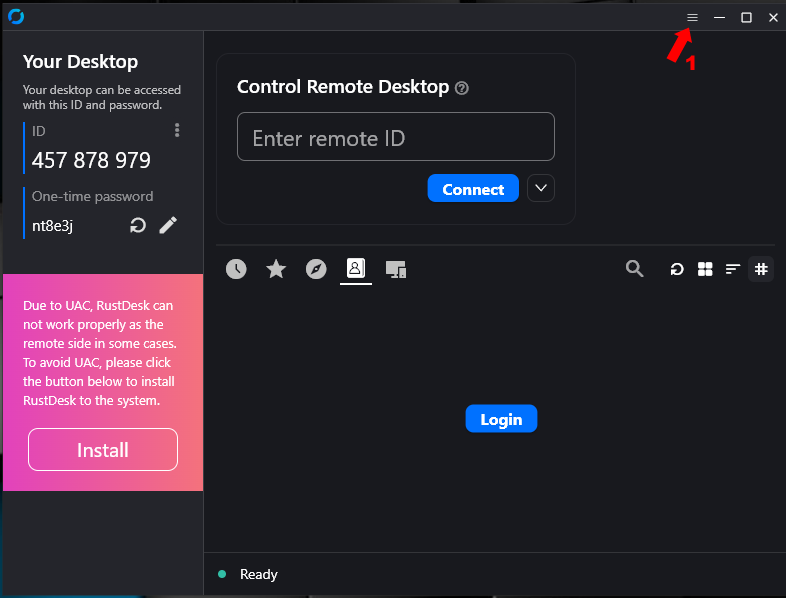 |
Download from the link above and run the installer. (1) When you see this screen, click on menu to access Setting. |
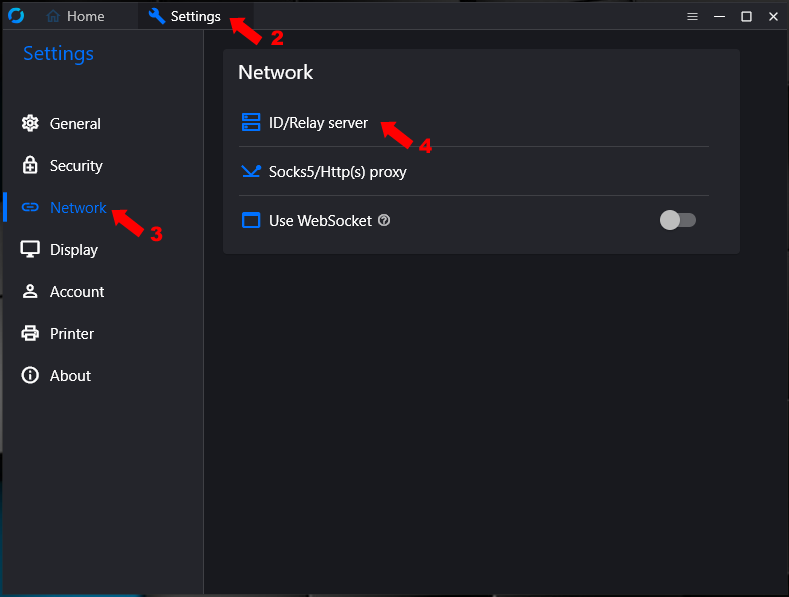 |
(2) Once the Settings have show up (3) Click on Network (4) Click on ID/Relay server |
|
|
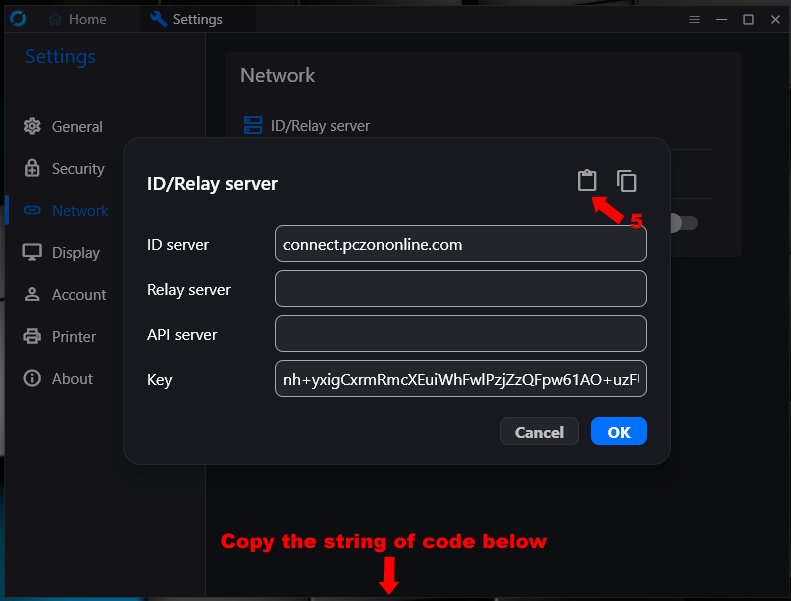
Double click on the string of code below the image and copy the code. (5) Click on the paste button and the configuration will be paste in, then click on the OK button to save the setting. |
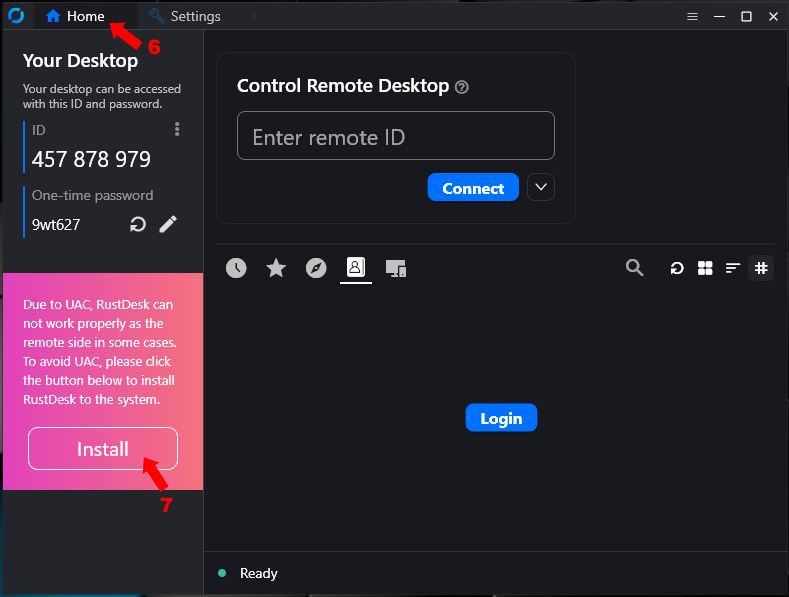 |
(6) Click on Home to go back to the main page. (7) Click on Install to install the application into your system. |
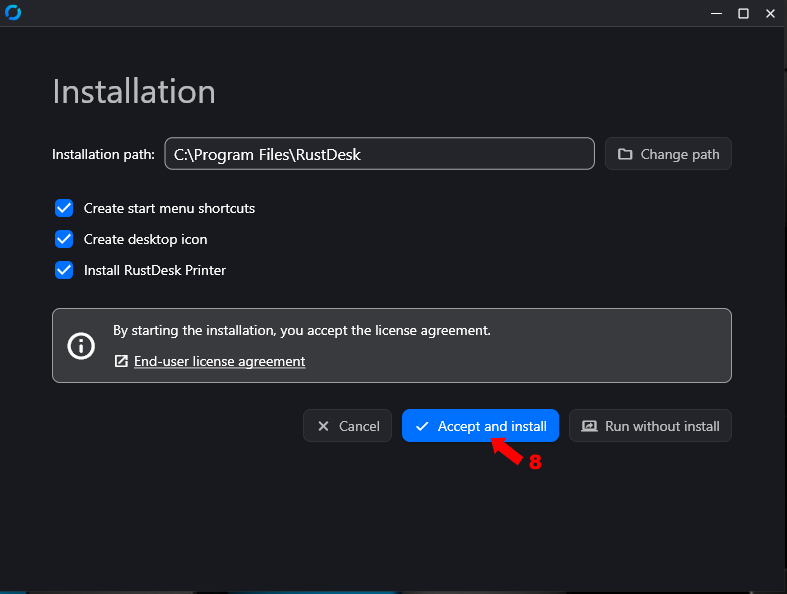 |
(8) Click on Accept and install. |
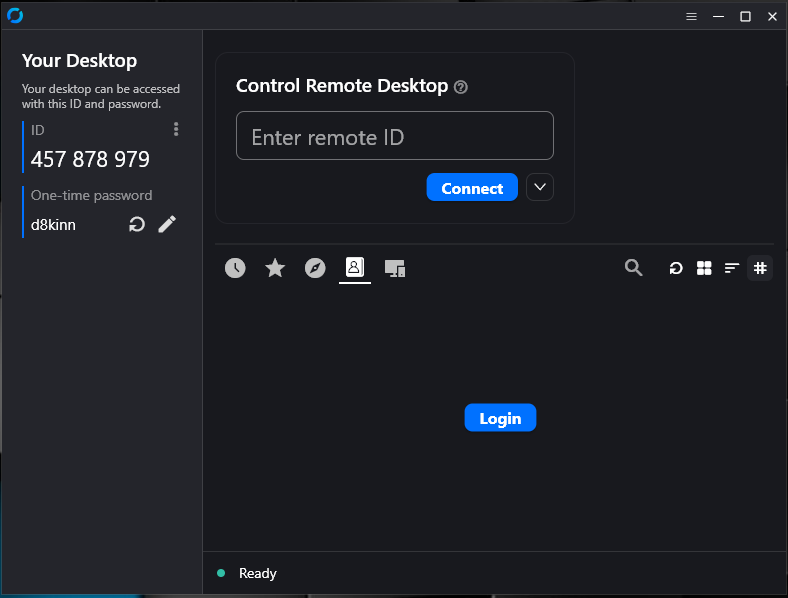 |
And you are done installing ruskdesk. |